Revenue in Zenovay comes from your payment provider. Zenovay links each payment to the visit that led to it, so you see which sources, pages and campaigns bring in money. You connect the provider right from the Revenue tab.
The Revenue tab is on every plan. Free shows the last 14 days of revenue, Pro and above the full report window of the plan.
When no provider is connected
Open your website from Domains and select Revenue in the Revenue group of the sidebar. Until a provider is connected, the tab shows Connect a payment provider to see revenue instead of empty charts, with three facts:
- Read-only access. Nothing changes in your payment account.
- Refunds and subscriptions are handled automatically.
- New payments appear within minutes after you connect.
How revenue attribution works opens the documentation in your language.
If your goals carry values, the attribution of those goal conversions already shows below the panel.
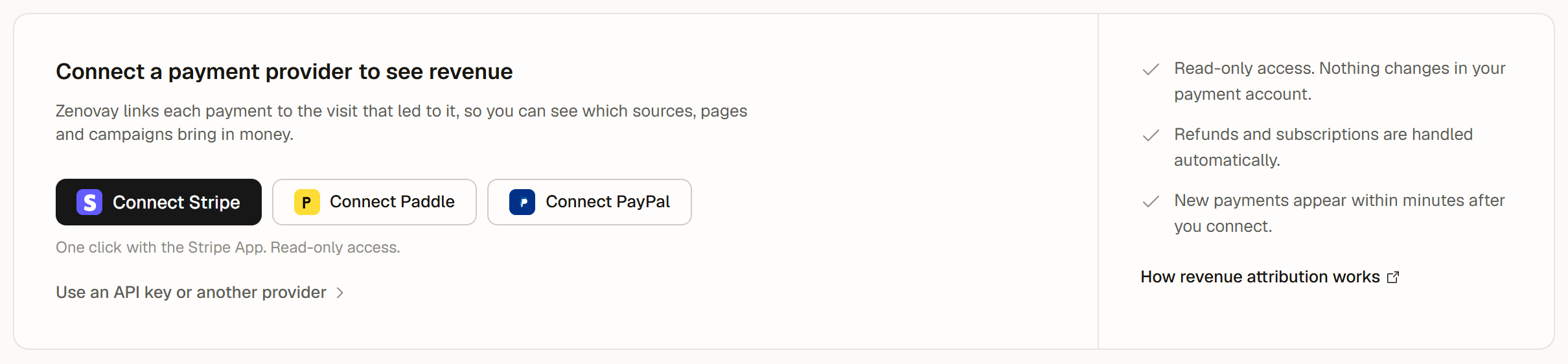
Connect a provider
Workspace owners and admins see these options:
| Option | What happens |
|---|---|
| Connect Stripe | Connects with the Stripe App in one click, with read-only access. You approve the connection in Stripe and come back to Zenovay, where Open revenue dashboard takes you to the Revenue tab. |
| Connect Paddle | Opens the website's revenue settings with the Paddle form. |
| Connect PayPal | Opens the website's revenue settings with the PayPal form. |
| Use an API key or another provider | Opens the website's revenue settings, where you connect with an API key or set up another provider. |
If the Stripe connection cannot start, a message offers to try again or to connect with an API key in the settings. For the details of each provider, see the guides for Stripe, Paddle and PayPal.
Other team members see that only a workspace owner or admin can connect a payment provider, so they can ask one of them.
The banners above your revenue
Once a provider is connected, a banner above the charts tells you when something needs a step from you:
- The provider is connected and no payment has arrived yet: revenue appears after the next payment.
- The connection needs attention: new payments may be missing until it is checked. Owners and admins get Open revenue settings.
- The provider was disconnected: new payments are recorded again once you connect it. Owners and admins get Open revenue settings.
- No provider is connected right now: the tab shows the payments recorded until a date, and Reconnect connects the provider again.
When everything is connected and payments arrive, the tab shows the revenue charts without a banner.
Shared dashboards
When the Revenue tab is shared on a public dashboard, it shows the revenue charts of the website. The connection panel and the banners stay in your team's dashboard.