A/B Experimentation lets you split your visitors between two or more versions of a page (or button, or headline) and see which one converts better. Zenovay handles the random split, the statistics, and the conversion attribution — you just pick a goal, write a few variants, and paste a snippet.
What you'll need
- A Zenovay account on the Pro, Scale, or Enterprise plan
- A goal already configured (open your website's dashboard, go to the Journeys tab → Goals, then Add Goal). The experiment will measure conversion against this goal.
- Access to your site to paste one line of JavaScript
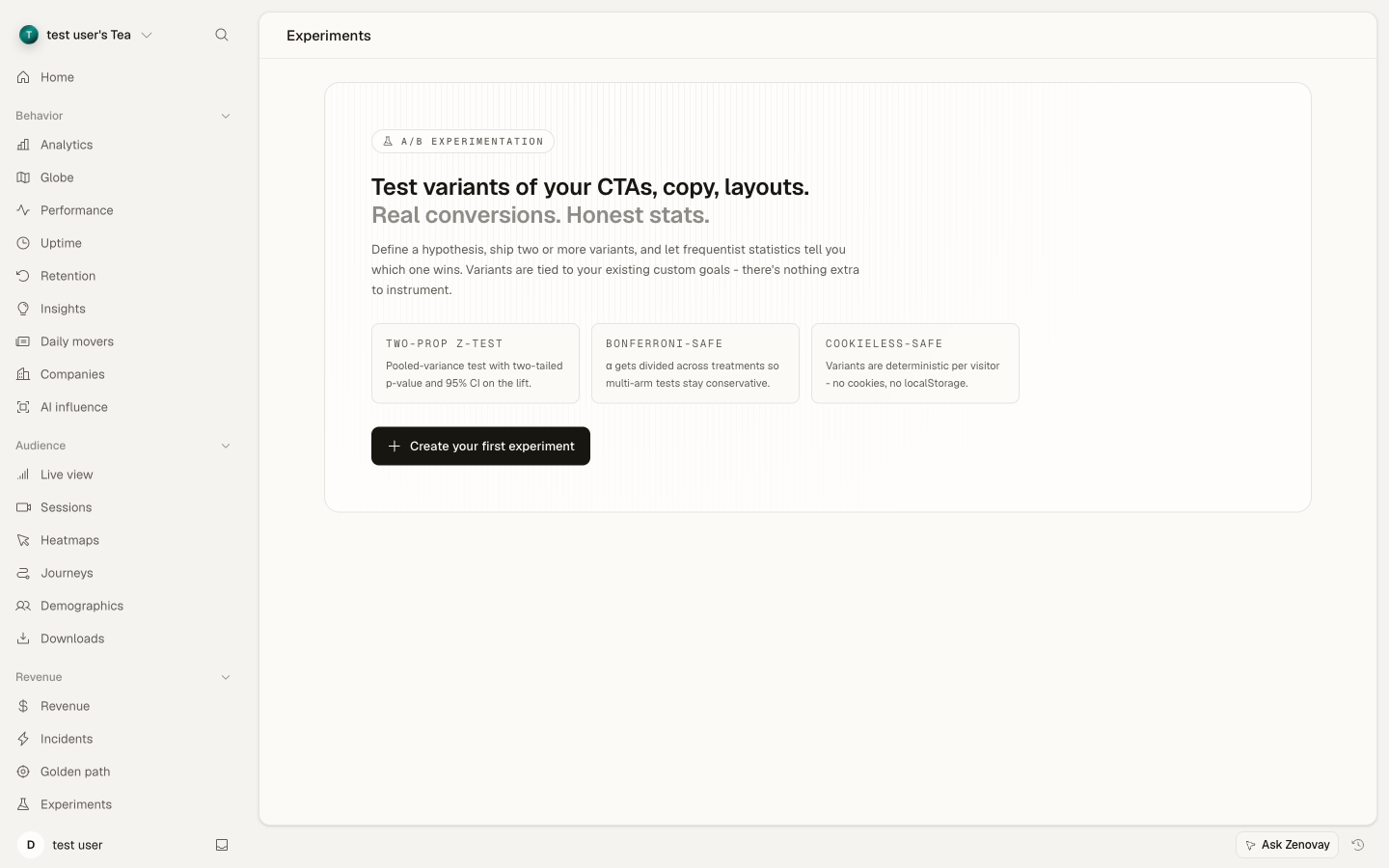
Step 1: Open the Experiments tab
In your dashboard, select the website you want to test and click the Experiments tab. You'll see a list of past and active experiments here.
Step 2: Create a new experiment
Click New experiment and fill in:
- Name — something memorable like "Checkout CTA color"
- Hypothesis (optional) — your best guess for why the change might help
- Target goal — the goal that should fire when a visitor converts
Step 3: Add your variants
Add 2 to N versions:
- The first variant is your control (your existing page).
- Each additional variant is a treatment.
- The traffic split controls how visitors are divided. The default 50/50 (or 33/33/33 for three) is usually right.
Step 4: Copy the snippet to your site
Zenovay generates a one-line snippet. Paste it where the change should happen — typically right where you'd hard-code the styling or copy:
const variant = window.zenovay('experiment', 'checkout-cta-color', ['control', 'green', 'orange']);
if (variant === 'green')   document.querySelector('.cta').style.background = '#22c55e';
if (variant === 'orange')  document.querySelector('.cta').style.background = '#f97316';
That's all the code you need. Zenovay's tracker assigns each visitor a variant, remembers it, and attributes any later goal completion back to that variant automatically.
Step 5: Launch it
Click Launch. The experiment goes live within a minute. Walk away — give it at least a few days.
Reading the results
Each variant gets a row showing visitors, conversions, and conversion rate. Treatment variants also display a 95% confidence interval on the lift over control. A green winner badge appears on a treatment when all three of these hold:
- The Bonferroni-corrected p-value is below 0.05.
- Both variants have at least the configured minimum sample (default 100 visitors per variant).
- The treatment beat the control on conversion rate.
In plain English: p < 0.05 means there's less than a 5% chance the difference you're seeing is just luck. It's the standard cutoff for "this result is real". Bonferroni is the math we use so that comparing many variants at once doesn't accidentally inflate that 5%.
If you check the dashboard before that bar is met, the result you see could still flip. Don't end the experiment early just because one variant looks ahead — that "peeking" inflates the false-positive rate.
Plan limits
| Plan | Concurrent experiments | Variants per experiment |
|---|---|---|
| Free | — | — |
| Pro | 5 | 4 |
| Scale | 25 | 10 |
| Enterprise | unlimited | unlimited |
A note on cookieless tracking
If your site loads our cookieless tracker, every browser tab counts as a fresh visitor for assignment — that's normal and the result is still statistically valid, it just means a single person opening two tabs may see two different variants.
Common questions
Do I need a developer to run an A/B test?
For the experiment setup itself — picking a goal, naming variants, choosing a traffic split — no. That all happens in the dashboard. For the page change itself — applying a different CTA color or a different headline — you (or whoever maintains your site) need to paste one line of JavaScript where the change should happen. If your site is on WordPress, Shopify, Webflow, or Squarespace, you can usually paste this directly into the page's custom code block.
How long should I run the experiment?
Decide before you launch. A short experiment on low traffic won't give you a clear answer; a long experiment burns time. As a rule of thumb, run for at least one full business week and only stop when you've decided ahead of time how many visitors per variant is "enough". Stopping early because one variant looks like it's winning is the most common mistake.
What's a good first experiment?
Test something small that's clearly visible — your main CTA button color, the headline above your CTA, the order of two sections on a landing page. Avoid testing layout overhauls or multi-page changes in your first run; they're harder to interpret.
How many people do I need?
Depends on how big a difference you're trying to detect. A bigger expected change (say doubling your conversion rate) needs far fewer visitors than a small one (a 1% bump). For most modest tests, plan for at least 10,000 visitors per variant; for small effects, 30,000+. There are free sample-size calculators online — search "A/B test sample size calculator" and plug in your current conversion rate.
Can I run two experiments at the same time?
Yes, up to your plan's concurrent limit (5 on Pro, 25 on Scale). If the experiments touch the same page element, the results are harder to read — try to keep concurrent experiments on different pages or different parts of the same page.
My experiment isn't working. What now?
Open the snippet panel in the Experiments tab and confirm the code you pasted matches. Then load your site in a browser and check the developer console — if it prints undefined or an error, the Zenovay tracker isn't loading on that page, or the variants list in your code doesn't match the dashboard. If exposures stay at 0 after an hour with healthy traffic, ping us through the help center contact form.
Will visitors notice that I'm A/B testing them?
No. Variants are served instantly on page load — visitors see the page they were assigned and don't see the alternative. The only thing visible to the user is the variant itself.
Can I edit the experiment after I launch it?
You can pause it, archive it, or end it. You cannot change the variants, the traffic split, or the target goal after launch — those would invalidate the data collected so far. If you need to change something, end the experiment and clone it — open the experiment and click Clone, which copies its setup into a fresh editable draft.
What if I hit my plan's experiment limit?
Archive an experiment you're done with. Archived (and completed) experiments keep their historical data but no longer count toward your concurrent limit. Everything that's still in play — draft, running, and paused experiments — counts toward the limit, so archiving a finished one is usually the quickest way to free up a slot.
What if it goes wrong?
A/B experiments are pretty forgiving — at worst, you waste a week and learn nothing. But a few specific things can go silently wrong:
- The variants look identical to you on the page. Open the snippet panel, copy the code Zenovay generated, and confirm it's the same line you pasted. Check the dashboard variant slugs against the strings in your code —
'orange'vs'oragne'is the most common cause. - Exposures stay at zero after an hour. The Zenovay tracker isn't running on the page where you called the experiment. Open the page in your browser, open the developer console (F12 → Console tab), and type
window.zenovay. If you seeundefined, the tracker isn't loading there. Re-check your tracking-script installation. - Conversions stay at zero but exposures look healthy. The wrong goal is selected. Open the experiment, check the target goal name, and trigger the goal yourself (fill out the form, click the button) — confirm it shows up in your real-time goal feed within a minute.
- The result keeps flipping every time you look. That's normal at low sample sizes. Don't end the experiment yet — wait for the visitor count to reach the threshold you decided on before launch.
- One variant got most of the traffic (e.g. 70/30 instead of 50/50). This is called sample-ratio mismatch. If you didn't change the experiment configuration mid-run, it usually means one variant is throwing a JavaScript error before visitors complete the page. Look at your browser console on each variant.
If you've checked all of the above and it still isn't behaving, contact us through the help center — we can look at your experiment's exposure log and figure out what's happening.
Want the full reference?
The A/B Experimentation docs cover the full statistical model, framework-specific code examples (React, Vue, GTM), troubleshooting steps, and the privacy posture in detail.