Top movers compares the selected period with an earlier one and shows which sources, pages, countries and devices gained or lost the most visits. Changes within normal day-to-day variation are left out, so the lists show what really moved.
Top movers is available on Pro, Scale and Enterprise. On the Free plan the tab shows what it offers with an option to upgrade.
Where to find it
Open your website from Domains and select Top movers in the Behavior group of the sidebar.
Choose the periods
- The comparison works like the one on the main chart: Previous period or Earlier period, a number of days, weeks, months or years back. Your choice is shared with the chart and remembered in your browser.
- The period selector sets the current period.
- The context line names both periods, and its i explains how the lists are calculated.
- The totals show the visits of both periods with the same change as the KPI tiles.
For a running period such as today or this week, both periods cover the same elapsed time, like the KPI tiles. Long ranges are compared over their last 90 days, and a note says so. Dashboard filters and segments apply and show as chips.
The four cards
| Card | What it compares |
|---|---|
| Sources | Visits per channel (Channels) or per referring website (Referrers). |
| Pages | Page views per page (Pages) or visits per entry page (Entry pages). |
| Countries | Visits per country. |
| Devices | Visits per device type. |
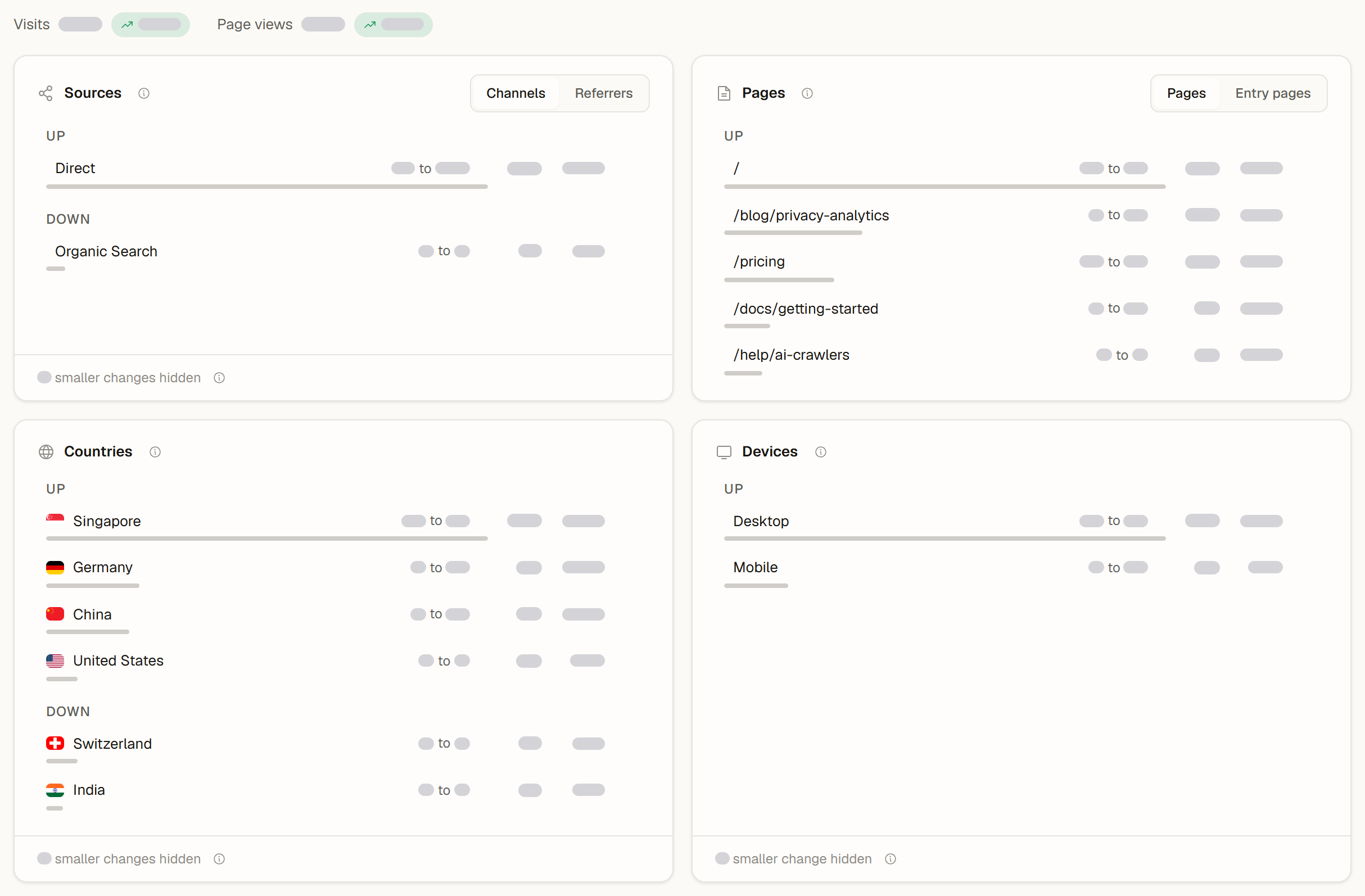
Each card lists up to five rows that went Up and five that went Down. A row shows:
- the value in the comparison period and now, for example "120 to 245",
- the change in visits and in percent, or New when there were none before,
- a bar scaled to the card's largest change.
A line under the lists counts the smaller changes that are hidden: changes within normal variation and changes beyond the five largest in each direction. When nothing moved beyond normal variation, the card says No notable changes.
How normal variation is left out
Visit counts always go up and down a little. A row is listed when it has some volume (at least 10 visits in one of the periods), changed by at least 5 visits, and the change is about twice as large as the usual random variation for that number of visits. Small sites therefore see fewer movers, and a quiet week shows no movers instead of random ups and downs. When the two periods have different lengths, the comparison is scaled to the current period.
Act on a row
- Select a row to filter the dashboard by it. You stay on Top movers, and every number follows the filter. The filter chip at the top removes it again.
- The button at the end of a row applies the filter and opens the Analytics tab.
- More actions (...) exports all four lists as an Excel file, with one sheet per card.
Good to know
- Top movers counts visits like the Visits tile. Some cards on the Analytics tab count visitors instead, so a number can differ slightly.
- Imported history, for example from Google Analytics, has no comparable breakdowns. When the comparison period only has imported data, a note says so.
- For the reasons behind a change, open AI insights: it names the largest gains and drops in one briefing.
Shared dashboards
On a public dashboard of a Pro, Scale or Enterprise workspace, Top movers shows the same lists, and selecting a row filters the shared view. The Analytics buttons and the export stay in your team's dashboard.